 PayWindow
Paid on your schedule? Budget on it too.
Plan your budget by paycheck, not just month — and never needs your bank login.
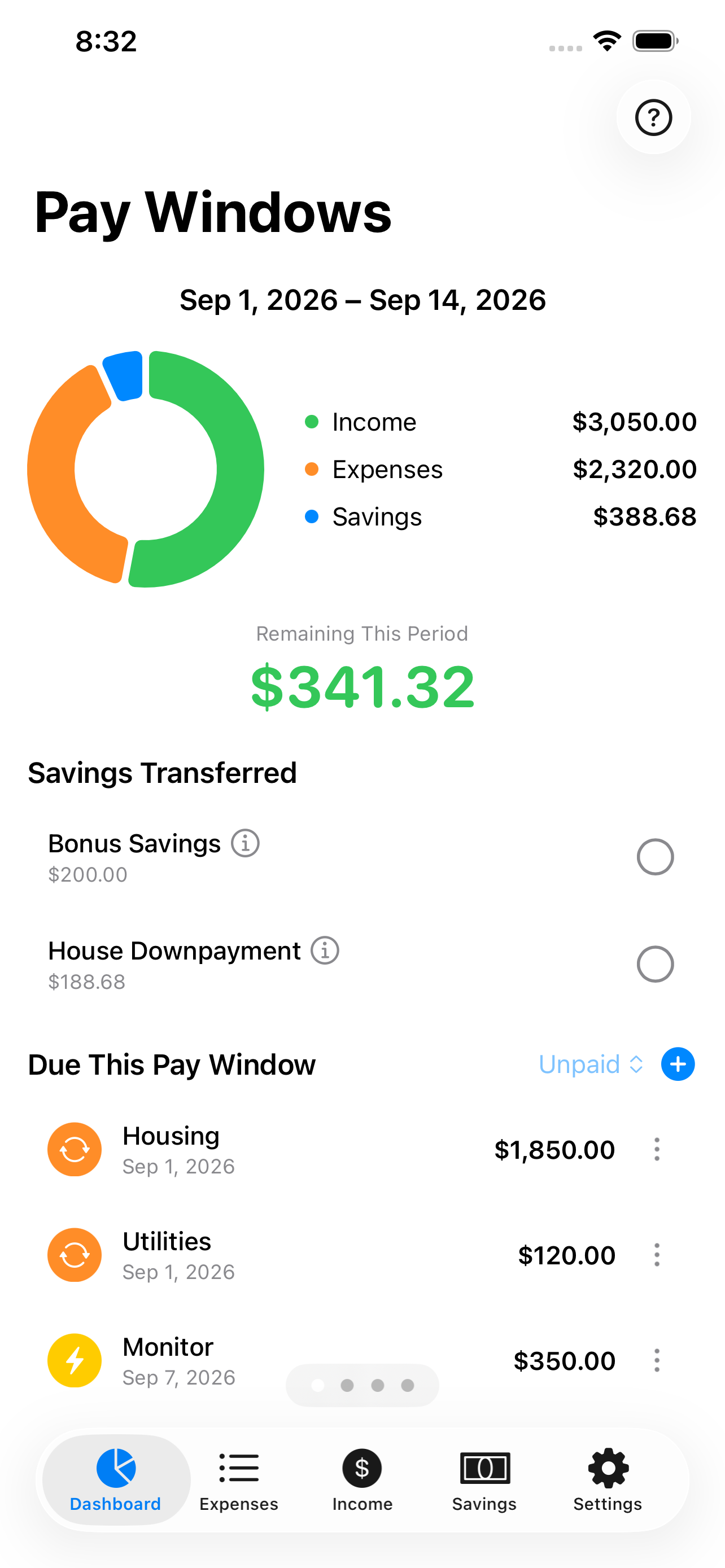
Built for the way you actually get paid
Most budgeting apps assume your budget resets on the 1st of the month. PayWindow doesn't. It gives you a budget window for every single paycheck, so you always know exactly what that check needs to cover. That's extra control if you're paid like clockwork, and essential if you're not: hourly shifts, tips, gig work, or freelance invoices that never land the same day twice.
Three things no other budgeting app does quite like this
The window, not the month
Your budget period runs from one paycheck to the next — weekly, biweekly, semi-monthly, or monthly, whatever your real cadence is.
Change one check, not the plan
Override a paycheck, reprogram your expenses, or update you savings goal contributions for a pay window — your budget and every window after it recalculates on its own.
Secure and simple
No bank credentials required. No backend holding your financial data. Your everyday bank transactions don't get in the way of your financial planning.
More than one paycheck? No problem.
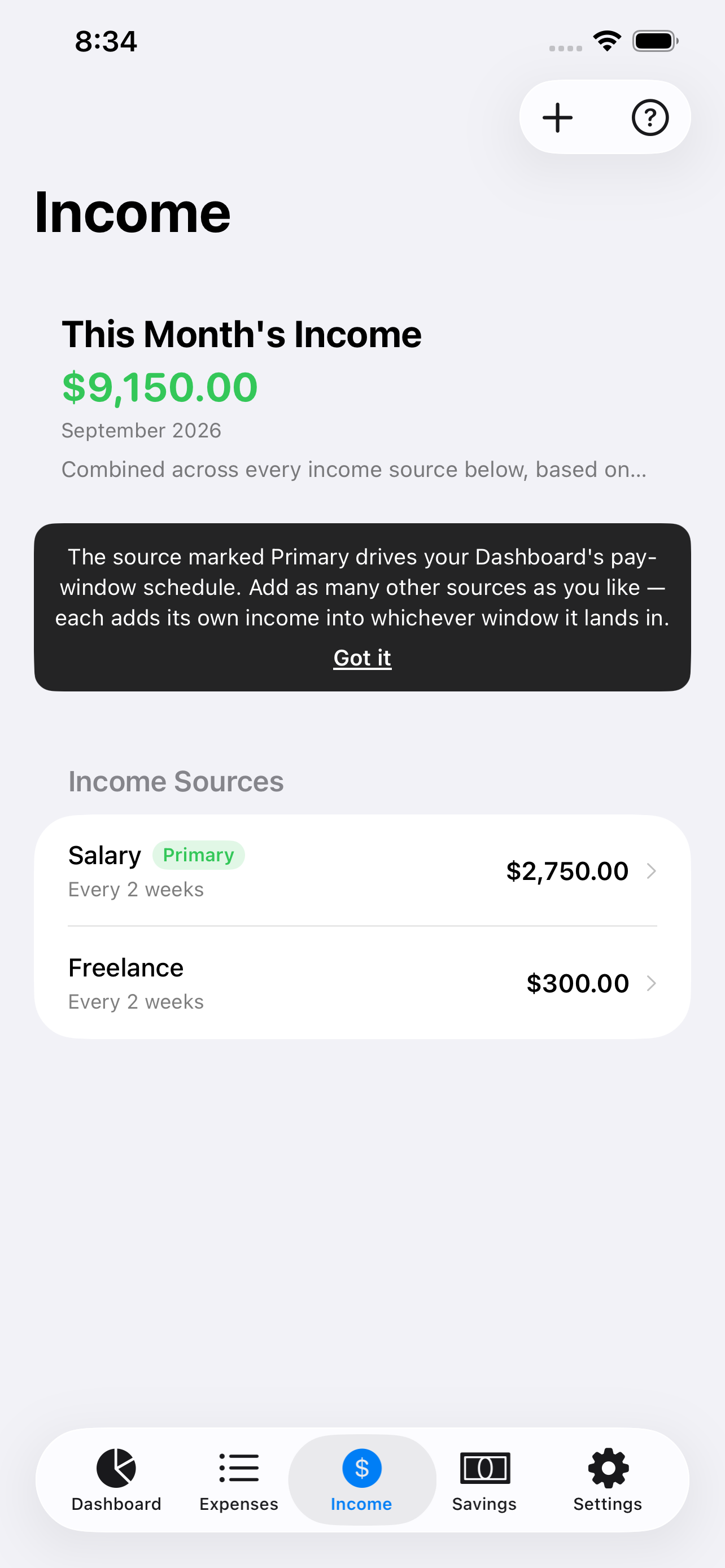
Add a second job, a spouse's income, or a side gig alongside your main paycheck. Mark one source as Primary to drive your pay-window schedule — every other source just adds to what lands in each window, automatically.
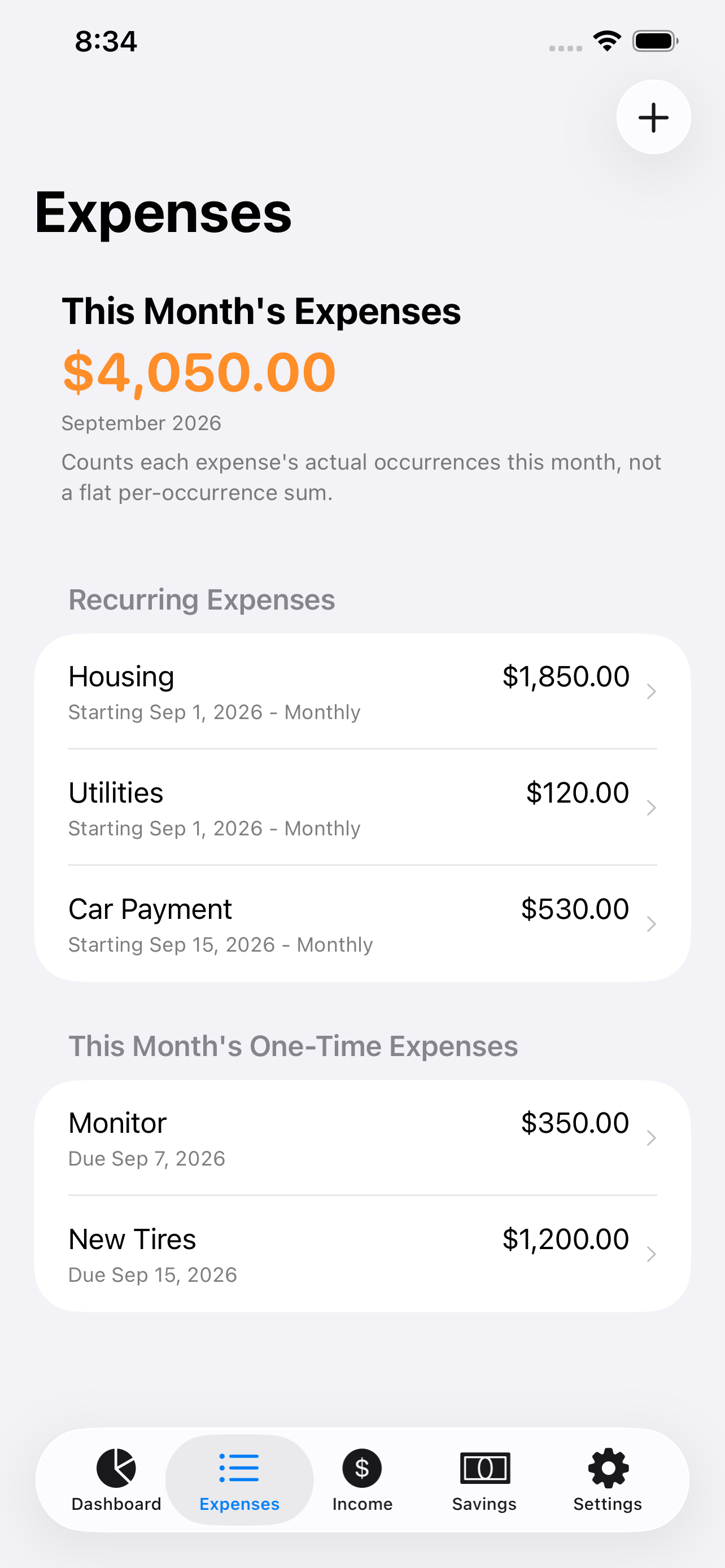
Bills on their own schedule, not just yours
One-time, weekly, monthly, quarterly, or every pay window — set each bill's real cadence and PayWindow surfaces exactly what's due in the current window, marked paid or unpaid as you go.
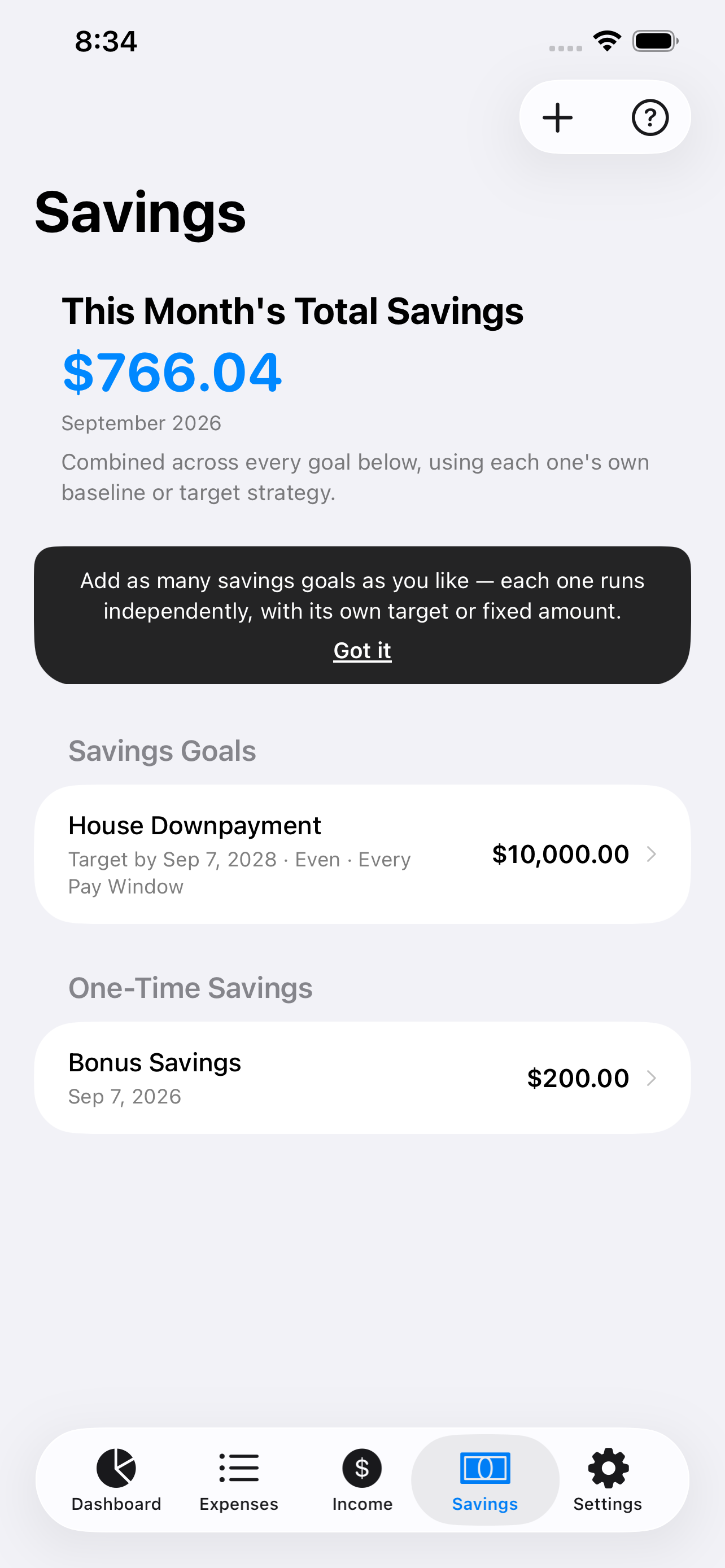
Run more than one goal, at once
Emergency fund. Vacation. A house down payment. Add as many savings goals as you want, each with its own target date, amount, and strategy — automatically redistributed when a paycheck comes up short, no manual math required.
Three steps, then it runs itself
Add your income
Tell PayWindow your pay amount and schedule — weekly, biweekly, semi-monthly, or monthly. Add more than one source if you have it.
Add expenses & savings goals
Enter your expenses and any savings goals by hand. No bank connection, no waiting on a sync.
Your dashboard builds itself
Every pay window shows income, expenses, savings, and what's left — recalculated automatically as things change.
Free covers a whole single-income budget
- One income source
- One savings goal
- Unlimited expenses
- Multiple income sources
- Unlimited parallel savings goals
- All future premium features, included
- 7-day free trial · also $24.99/yr or $49.99 lifetime
Questions people actually ask
Do I have to link my bank account?+
No. Every number is entered manually — there's no bank login, no linked accounts, and no backend server storing your financial data.
What if I'm not paid every two weeks?+
PayWindow supports weekly, biweekly, semi-monthly, and monthly schedules — your budget windows follow your actual pay dates, not a fixed calendar month. After a base income cadence is set, one-time income entries are also supported.
Is my data private?+
Everything is stored on your device, so there's nothing about your finances sitting on a server to leak.